


- A realistic budget is $122/month on the Starter plan with moderate usage — the $97 sticker plus A2P, SMS, and email fees. AI adds $50–$97/month.
- Register A2P 10DLC on day one, before you build a single SMS workflow. Approval takes days if it goes clean, weeks if it gets rejected.
- Snapshots copy workflows, funnels, and pipelines — they do NOT copy contacts, conversations, phone numbers, or integrations. Know the list before you buy one.
- Plan on 2–4 weeks to full setup. Anyone promising a productive account in an afternoon is selling something.
- The order of operations matters more than any individual feature: domain → A2P → phone/email defaults → pipeline → calendar → workflows → contacts last.
Doing it yourself, or having it done?
This guide is the do-it-yourself route, in the order the work actually happens. It takes two to four weeks of evenings for a standard account, and most of the first week is waiting on the texting approval rather than building anything.
Would you rather hand it over? That is the GoHighLevel setup we run for clients. The rest of this guide still tells you exactly what you are paying for.
What is GoHighLevel, actually?
GoHighLevel is an all-in-one sales and marketing platform: CRM, funnels, websites, email, two-way SMS, calling, calendars, invoicing, and automation in one login. HighLevel reports more than 1 million small businesses and 120,000+ customers across 150+ countries on the platform as of March 2026. The pitch, in practitioner shorthand, is "replace 6–10 tools with one bill."
Two groups buy it. Small businesses use it as their CRM and follow-up system. Agencies use it to run client accounts, and each client lives in a sub-account. The higher plans let agencies resell the whole platform under their own brand (SaaS mode). This guide covers both, because the setup order is nearly identical; agencies just repeat it per client.
This all-in-one category is now core infrastructure, not a luxury: in Capterra's late-2025 surveys of several thousand businesses, 57% of CRM users called their software "critical" to operations. The question isn't whether small businesses run on a platform like this. It's whether yours gets configured well enough to matter.
The honest caveat first: GHL has a real learning curve. Independent reviews consistently report two to four weeks of dedicated effort before you're fully operational — Marketing Automation Insider's 2026 review puts it at exactly that range. The dashboard exposes everything at once. Beginners who click around without a sequence build things out of order, break them, and churn. The fix isn't talent. It's doing the steps in the right order, which is the rest of this guide.
What GoHighLevel really costs per month
Plan on about $122 per month for a working single-location setup on the $97 Starter plan. That is the sticker price plus roughly $25 in A2P, SMS, and email usage at moderate volume. Add the AI Employee and you're near $219. The most common complaint we hear from businesses arriving off a DIY attempt is a bill that exceeded the advertised price. So let's price the whole thing honestly, from the official fee schedules.
There are three base plans. Starter ($97/month) gives you three sub-accounts with unlimited contacts and users. Unlimited ($297/month) removes the sub-account cap, adds basic API access, and lets agencies rebill usage to clients at cost. Agency Pro ($497/month) adds SaaS mode — sell GHL under your own brand with automated signup — plus rebilling with markup. Annual billing knocks two months off each.
Then usage fees, which is where budgets go sideways. Email costs $0.675 per 1,000 sends, and SMS runs at Twilio-parity rates ($0.00747 per segment in the US). Premium workflow actions cost $0.01 per execution, and AI is billed separately. None of this is scandalous at small volume; the chart below is a realistic solo-location month. But it scales with success, and agencies need to configure rebilling so client usage doesn't land on the agency card. The full itemized breakdown — add-on menu, 2026 carrier-fee increases, wallet mechanics — gets its own post.

AI is priced as an add-on, not included in the base plans. The AI Employee runs $97/month per location (that's the AI Employee Unlimited tier, on any base plan), with a lighter $50/month AI Growth tier added in 2026. Voice AI unbundled costs $0.045 per minute plus text-to-speech. HighLevel's "Summer of AI" promotion offered 30-day trials of the customer-facing AI tools until August 31, 2026. As of September 2026 no AI Employee trial is listed. The platform's standard 14-day trial is the cheap way to find out if your call volume justifies the spend.
How does GoHighLevel compare to HubSpot and ClickFunnels?
On price, it isn't close. GoHighLevel Starter runs $1,164 for year one with unlimited contacts. HubSpot Marketing Hub Professional lists at $800 per month billed annually plus a mandatory $3,000 one-time onboarding fee — $12,600 in year one for three seats. HubSpot's onboarding fee alone costs more than two and a half years of GHL Starter. ClickFunnels sits between, at $97–$297 monthly, but caps contacts at every tier.
Price isn't the whole story, and pretending otherwise is how affiliate blogs lose your trust. HubSpot's reporting, content tools, and ecosystem are genuinely deeper — enterprises pick it for reasons. ClickFunnels' funnel editor is more polished than GHL's. What GHL wins on is breadth per dollar. The CRM, the phone system, the calendars, the automation, and the white-label option live in one place. Nobody else offers that combination anywhere near $97.
| Feature | GoHighLevel Starter | ClickFunnels Optimize | HubSpot Marketing Pro |
|---|---|---|---|
| Monthly price | $97 | $297 | $800 (annual billing) |
| Mandatory onboarding fee | None | None | $3,000 one-time |
| Contacts | Unlimited | 150,000 cap | Tiered by contacts |
| Users/seats | Unlimited | 2–8 team members | 3 seats, then $45/seat |
| Built-in phone/SMS | Yes (usage-billed) | No | No (add-on) |
| White-label/resell | $497 tier | No | No |
List prices from official pricing pages, fetched July 22, 2026.

The right setup order: your first 30 days
Almost every GHL horror story traces back to sequence, not software. The platform doesn't force an order, so beginners build funnels first (fun) and discover in week four that their SMS doesn't send (fatal). This is the sequence we use on client accounts — it front-loads the slow bureaucratic steps so the waiting happens while you build. If you're doing this for a client rather than yourself, our client onboarding checklist adds the paperwork and the handover. It's first in the related posts below.

- 01Day 1 — connect your domain. GHL's Launchpad requires a DNS-verified domain for email and websites. If you don't own one yet, buy it today; every later step depends on it.
- 02Day 1 — start A2P 10DLC registration. Before any funnel, any workflow, any import. Approval is measured in days-to-weeks and nothing SMS works properly without it. Full details in the next section. The first thing to switch on once it's approved is missed call text back.
- 03Day 1–2 — accept the phone and email defaults. Use LC Phone and LC Email unless you have a specific reason not to. You don't need your own Twilio account, and you don't need Mailgun. Both are built in at pass-through rates, and the DIY route adds setup complexity you don't want in week one.
- 04Week 1 — build your pipeline. One pipeline, three to six stages, named after your actual sales process. Resist inventing stages you don't use.
- 05Week 1 — set up calendars. Connect your Google/Outlook calendar, set availability, and test-book yourself before a lead ever sees it.
- 06Week 2 — build the core five automations. Missed-call text back, new-lead speed-to-lead reply, appointment reminders, no-show follow-up, and review requests. These five carry most of the ROI; everything else is refinement.
- 07Week 3 — import contacts, carefully. Import AFTER workflows exist and A2P is approved, with tags that record the source. Importing first is how people accidentally blast an unsegmented list.
- 08Week 4 — reporting and handoff. Wire up the dashboard, connect Google Business Profile, and — for agencies — run the client through a structured onboarding, not a login email and good luck.
Why does A2P registration come first?
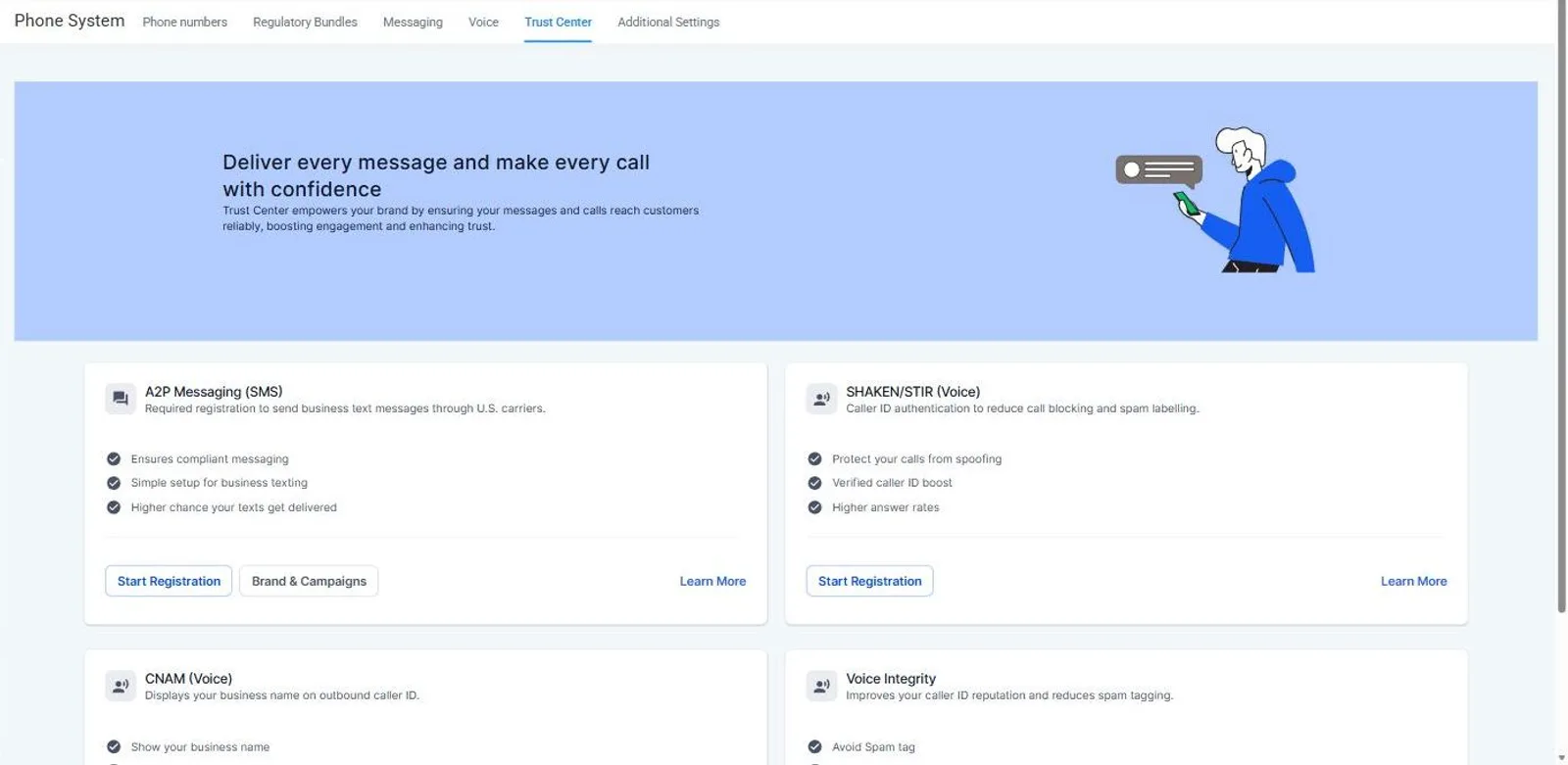
Because in the US, unregistered business texting gets filtered by carriers — your automations will look like they're running while the messages quietly don't arrive. A2P 10DLC registration is the carrier-mandated process that verifies your business and your messaging use case. It is the single most common setup blocker, and it's pure bureaucracy: start it before you build anything that sends a text. For the current fee table and the fix for each rejection code, see our A2P registration guide.
The costs are modest; the timeline is the trap. Registration runs through two review steps — brand (your business identity) and campaign (what you'll send). A clean submission can clear in days. HighLevel's Fast Track program targets campaign approval within 3 business days. Its new AI compliance validation pre-checks your opt-in forms and privacy policy before you submit. A rejected submission restarts the review clock, and repeated rejections can stretch the process past a month.
Common rejection triggers are worth knowing up front. One is a brand-new EIN (registered within roughly the last 15 days; TCR flags it). Others are opt-in language on your forms that doesn't match your stated use case, and a privacy policy that doesn't mention SMS. Fix those before submitting, not after the rejection email.
| Fee | Amount | When |
|---|---|---|
| Brand registration (incl. vetting + Fast Track) | $24.50 (sole prop & low-volume) / $71.91 (high-volume) | One-time |
| Campaign fee — sole proprietor | $2.00 | Monthly |
| Campaign fee — standard use cases | $10.00 | Monthly |
| Carrier surcharges (AT&T, T-Mobile, Verizon) | $0.003–$0.005 per SMS | Per message |
| Resubmission after rejection | Free | — |
HighLevel A2P 10DLC fee schedule (updated March 2026), reflecting the Aug 1, 2025 TCR increase.
Want it set up right the first time?
We set up and manage GoHighLevel accounts for small businesses and agencies — A2P included, in days not weeks. Book a call and we'll walk through your setup.
What do snapshots copy — and what do they leave behind?
Snapshots are GHL's account templates: they capture the configuration of one sub-account so you can stamp it onto another. For agencies they're the core of scale — build your industry setup once, deploy it per client. They're also a marketplace: plenty of vendors sell prebuilt snapshots, of wildly uneven quality. Our GoHighLevel snapshots guide, first in the related posts, has the full copy and exclusion lists and the QA we run.
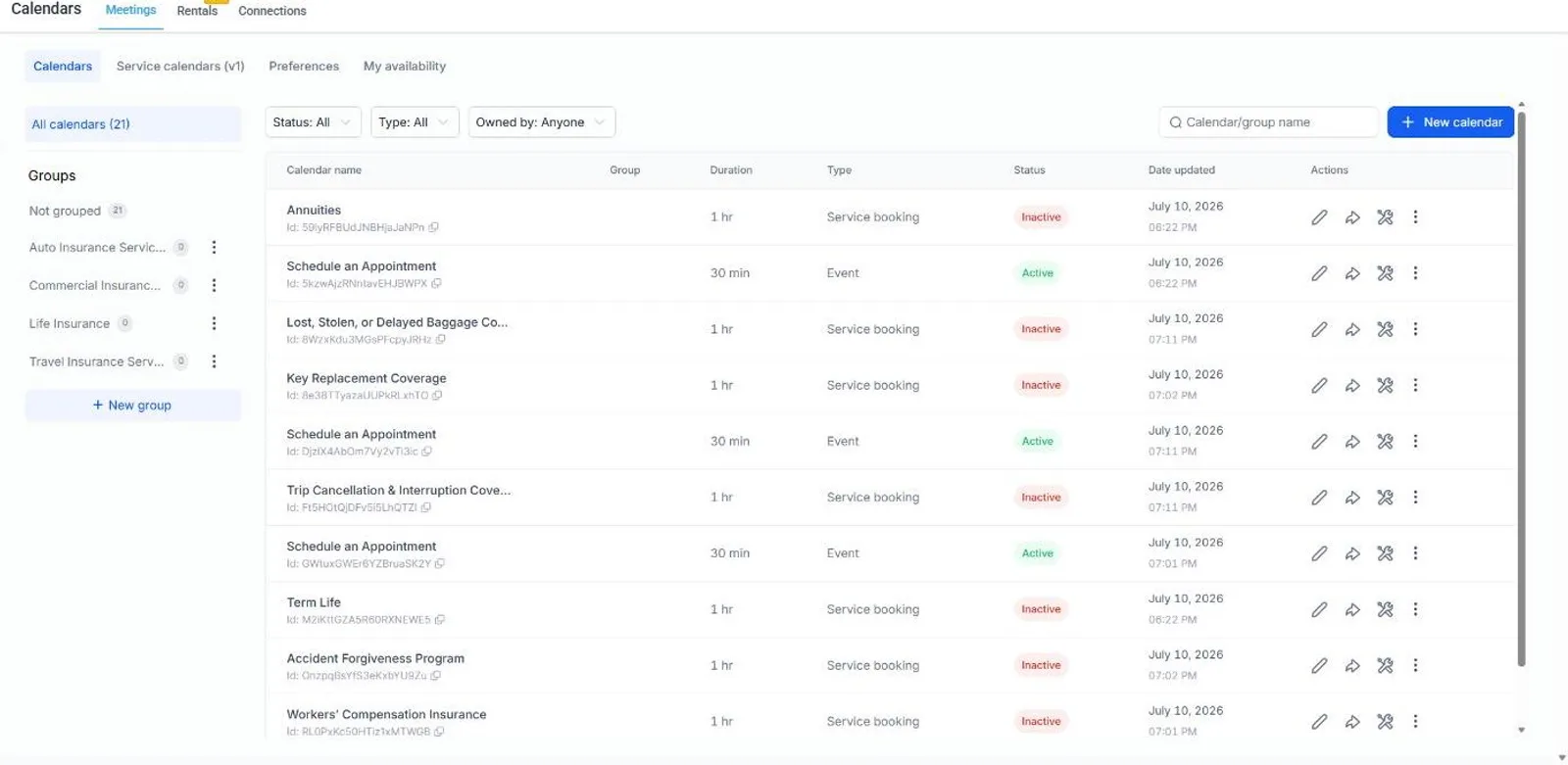
What burns buyers is the exclusion list. Per HighLevel's own documentation, snapshots copy your workflows, funnels, websites, forms, email templates, calendars, pipelines, custom fields, tags, and AI agent configurations. They do not copy contacts, appointments, conversation history, review data, Stripe connections, third-party integrations, or phone numbers. A snapshot hands you the machine, never the fuel — every deployment still needs its own phone number, its own A2P registration, and its own integrations connected by hand.
One more trap: loading a snapshot into an existing sub-account (rather than a fresh one) forces override-or-skip decisions on every conflicting asset. Done casually, this overwrites live workflows. The community has been asking HighLevel for a snapshot-revert feature for years, and it doesn't exist yet. So treat snapshot loads into live accounts as production deployments: back up what matters, read every conflict prompt.
| Snapshots copy | Snapshots do NOT copy |
|---|---|
| Workflows, triggers, automations | Contacts & appointments |
| Funnels, websites, blogs, forms | Conversation/message history |
| Email templates & campaigns | Phone numbers & A2P registration |
| Calendars, pipelines, custom fields, tags | Stripe & third-party integrations |
| AI agents (Conversation, Voice, Agent Studio) | Reputation/review data |
HighLevel Snapshots Overview, official help documentation (updated May 2026).
Which automations pay for the subscription?
Speed. Every automation that shrinks your response time pays for itself, and the data here is unambiguous. In Chili Piper's 2025 analysis of roughly 4 million form submissions, 66.7% of qualified leads booked a meeting when scheduling was instant. The industry average sits around 30%. Faster response, more than double the booking rate — we wrote up the full case in our speed-to-lead breakdown. Before you buy a connector for any of them, check whether GoHighLevel already runs it natively. Most of these do; the Zapier guide in the related posts lists them. Our list of the twelve automations we build for every client is first in the related posts below.
That's why the core five automations from week two are all response-time machines. Missed-call text back answers the call you couldn't take within seconds. The new-lead workflow replies to form fills instantly, day or night. AI chatbots carry the follow-up conversation until a human takes over. None of this is clever marketing — it's answering faster than the competitor who's still checking voicemail.

Where AI fits in GoHighLevel right now
Two different jobs, two different tools. Customer-facing AI is HighLevel's own product line. The AI Employee answers your phones (Voice AI) and your messages (Conversation AI), runs 24/7, and costs $97/month per location. There is also a $50/month Growth tier with 100 Voice AI minutes and 1,000 Conversation AI responses; the summer 2026 trial promotion has ended. Agent Studio, now included in the base plans, lets you build multi-step AI agents without code.
Operator-facing AI is the newer, quieter win. Connect an assistant like Claude directly to your GHL account over the official MCP server. Then you can ask questions of your own CRM in plain English: "pull every lead from this week that nobody contacted." We use it daily on client accounts and wrote the full Claude-to-GoHighLevel connection guide, plus the ten MCP use cases we actually run. It takes about ten minutes and costs nothing beyond the plans you already pay for.
Should you DIY, hire an expert, or go white-label?
Do it yourself if you have the two to four weeks and your setup is standard: one location, one pipeline, the core five automations. Vertical builds add their own steps; our GoHighLevel for real estate setup shows what a portal-fed pipeline adds. This guide plus the official docs will get you there, and you'll understand your own system — which matters when you want to change it later. Before you start, skim the 12 DIY setup mistakes so you skip the traps everyone hits.
Hire help when the math says so — we published the going rates and vetting questions separately. If your hourly value is $100 and setup takes you 60 hours of evenings, that's a $6,000 DIY project. It competes against a professional setup that costs a fraction of that and ships in days. The same logic applies harder to A2P-sensitive businesses, where a botched registration cycle can cost a month of dead SMS. And if you're an agency selling GHL under your own brand, white-label support means someone else answering your clients' how-do-I questions. It is usually the difference between SaaS margin and SaaS burnout.
We're biased here and we'll say so plainly: GoHighLevel setup and management is what Webly does. But the honest version of the pitch is the paragraph above. Most solo operators with standard needs should DIY with this guide, and the people who should hire help usually know it by week two.
Most people who cancel GoHighLevel never got it working. The order of operations is the product.
- HighLevel — Official pricing page (fetched July 22, 2026)
- HighLevel Pricing Guide — help.gohighlevel.com (updated June 2026)
- HighLevel — A2P 10DLC messaging fees (updated March 2026)
- HighLevel — A2P brand approval best practices
- HighLevel — AI product pricing update (updated June 2026)
- HighLevel — Snapshots overview (updated May 2026)
- HighLevel — Summer of AI: agency landing and access control (updated 10 Sep 2026; read 30 Sep 2026). The earlier Summer of AI trial article no longer resolves.
- HighLevel momentum report — 1M+ SMBs, Dec 2025 AI milestones (Yahoo Finance, Mar 2026)
- Chili Piper — Form Conversion Rate Benchmark Report (Feb 2025)
- HubSpot — Marketing Hub pricing (fetched July 22, 2026)
- ClickFunnels — Pricing (fetched July 22, 2026)
- Capterra — 2026 Sales & Marketing Software Trends (Dec 2025)
- Marketing Automation Insider — GoHighLevel review (2026)
How this was made · Drafted with AI tools from the sources above. Every number was checked against its source by a person. Reviewed and approved by our editorial team. Samar Faizan, editor of record, holds editorial responsibility.